skulk-ui (Local GUI)
skulk-ui is a local, point-and-click web app for publishing MTP sidecars,
registering catalog entries, and looking up what is already cataloged — the
visual counterpart to the skulk-weights CLI. Paste a HuggingFace model URL,
review what SWP detected, and publish (or register) with one click. It is meant
for local operator use: it runs on localhost, reads your HuggingFace token from
local config, and needs no accounts.
It surfaces four things:
- Detect → Publish MTP — extract and upload an MTP sidecar with a live SSE log.
- Register in Catalog — record a Gemma 4 assistant pairing (synchronous, no upload).
- Find in Catalog — a read-only reverse-lookup card: paste a source model and see every matching catalog entry (one source can map to many entries).
- Settings — store the HuggingFace token.
It wraps the same machinery as the CLI, so anything you do in the GUI produces the
same catalog entries and sidecar uploads you'd get from skulk-weights.
Prerequisites
- A source checkout of this repository. The GUI is served from the in-repo
ui/build (ui/dist/), soskulk-uiruns from a clone — not from a barepip installof a published wheel. (SetSKULK_UI_DISTto point at a prebuiltdist/elsewhere if you need to.) - The
[ui]extras installed (FastAPI, uvicorn, and the MTP deps). - Node.js 20+ and Yarn (Yarn 1 classic) on
PATH— needed only on the first launch, which builds the React app automatically and caches it inui/dist/. - A HuggingFace token with write access to the target org (for publishing).
Install and run
From the repo root:
uv sync --extra ui
uv run skulk-ui
On first launch skulk-ui detects that ui/dist/ is missing, runs
yarn install && yarn build automatically (~30 s), then opens
http://localhost:7842 in your browser. Subsequent starts are instant.
Flags:
| Flag | Default | Meaning |
|---|---|---|
--port PORT | 7842 | Port to listen on |
--no-open | off | Don't open the browser automatically |
Configure your HuggingFace token
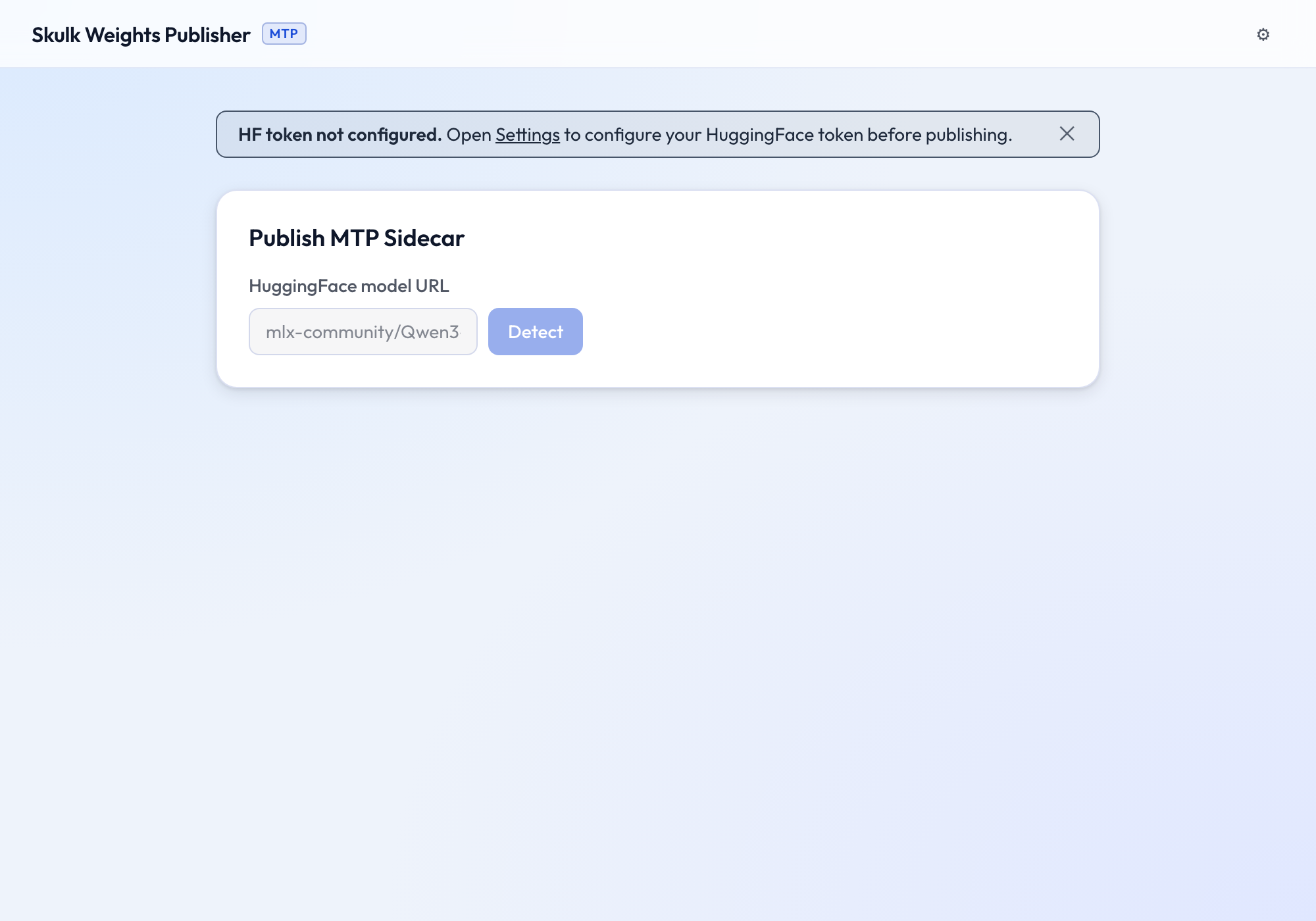
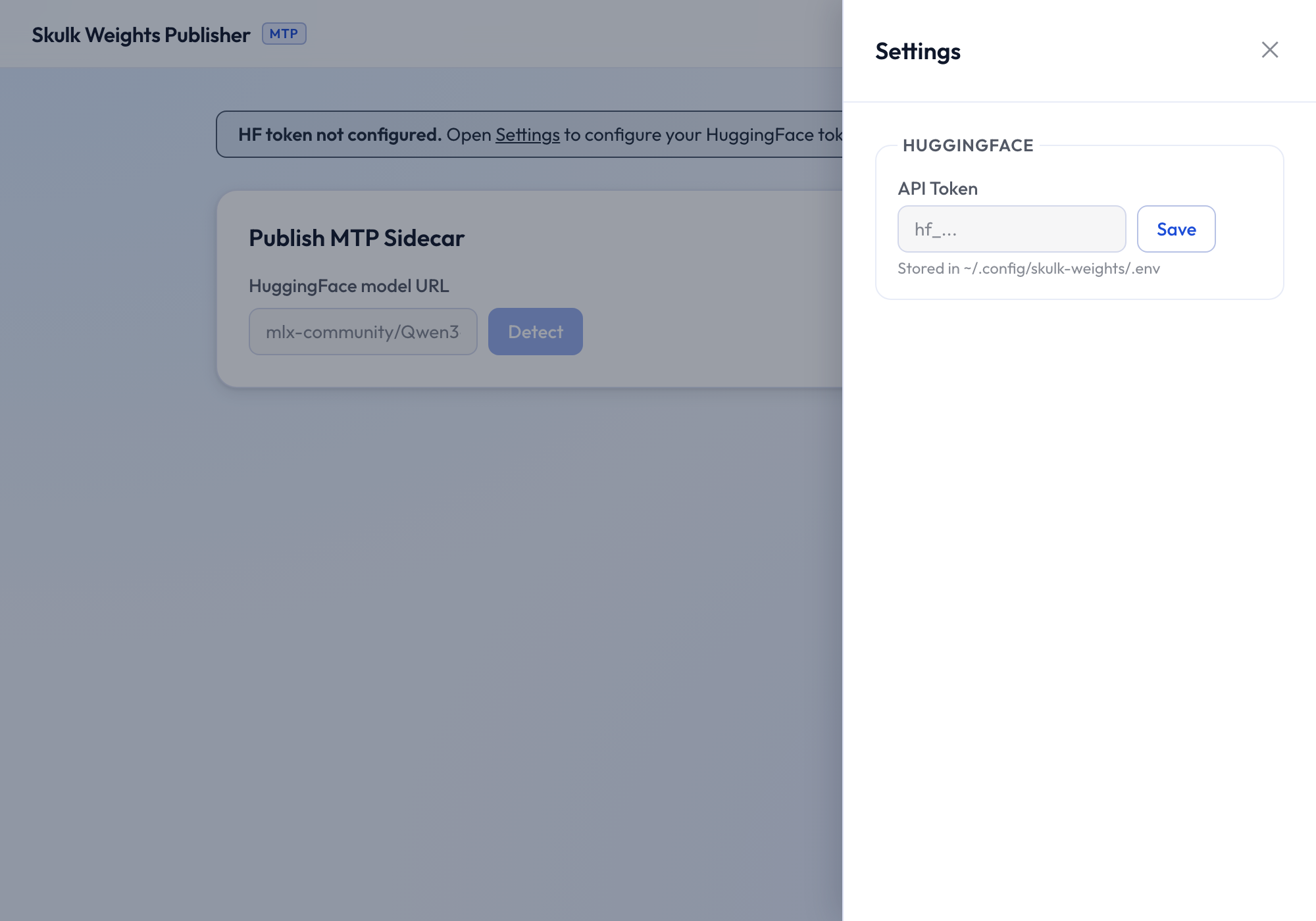
On first run, if no token is configured, a banner prompts you to set one. Open Settings (the gear, top-right):
Paste your token and click Save. It is written to
~/.config/skulk-weights/.env with owner-only (0600) permissions and read
automatically on every subsequent launch. (Setting HF_TOKEN in your
environment also works and takes precedence.)
Detect a model
Paste a HuggingFace model URL (or owner/repo) and click Detect. SWP
resolves the true BF16 base model — following base_model:quantized: chains
through community MLX quants — and inspects it for native MTP heads.
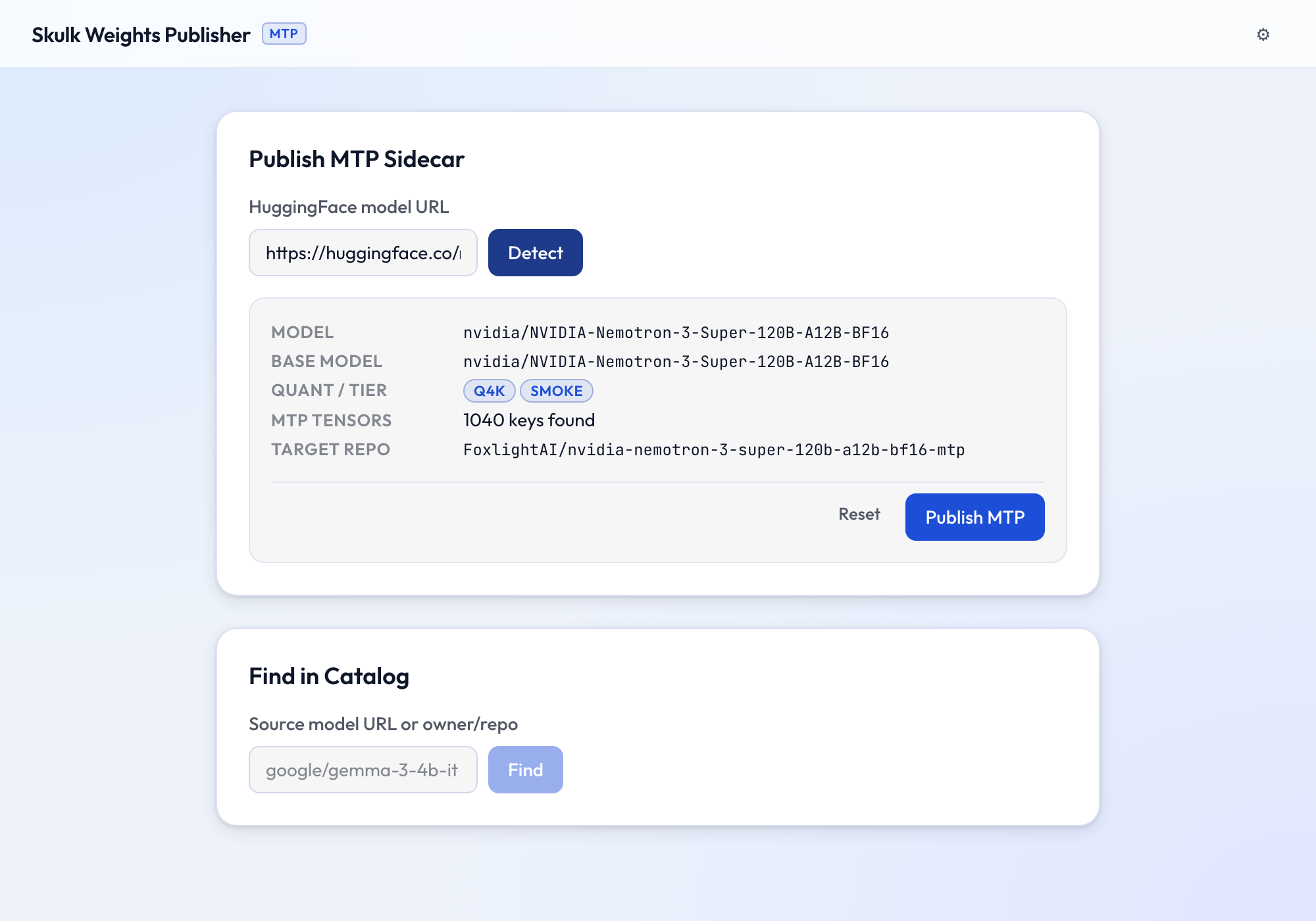
The result shows the resolved base model, detected quant and tier, how many
mtp.* tensors were found, and the target sidecar repo. The sidecar is one per
base model (e.g. …-mtp), not quant-qualified — the bf16 heads are shared
across every quantization of the base model.
Publish an MTP sidecar
When MTP tensors are found, click Publish MTP. SWP downloads only the
shards that contain mtp.* keys, reads only those tensors, and uploads them at
full precision (bf16, unquantized) as mtp.safetensors to the target repo.
Progress streams live in the log panel, stage by stage (finding shards →
downloading → extracting → saving → uploading).
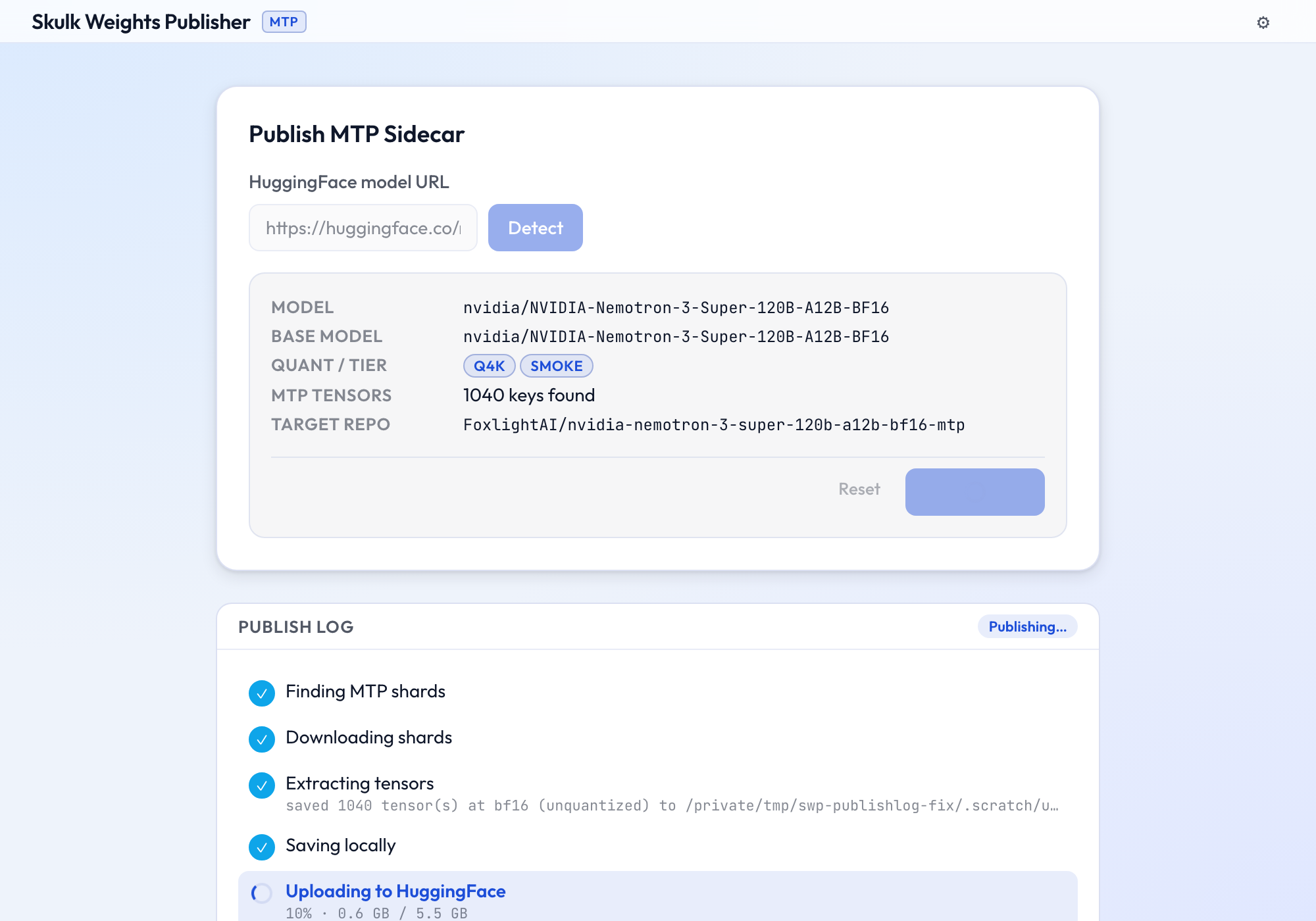
The walkthrough below publishes the MTP heads of
nvidia/NVIDIA-Nemotron-3-Super-120B-A12B-BF16
— a 120B model whose 1,040-tensor MoE drafter lives in just 2 of its 50
shards, so SWP downloads ~8 GB instead of ~240 GB.
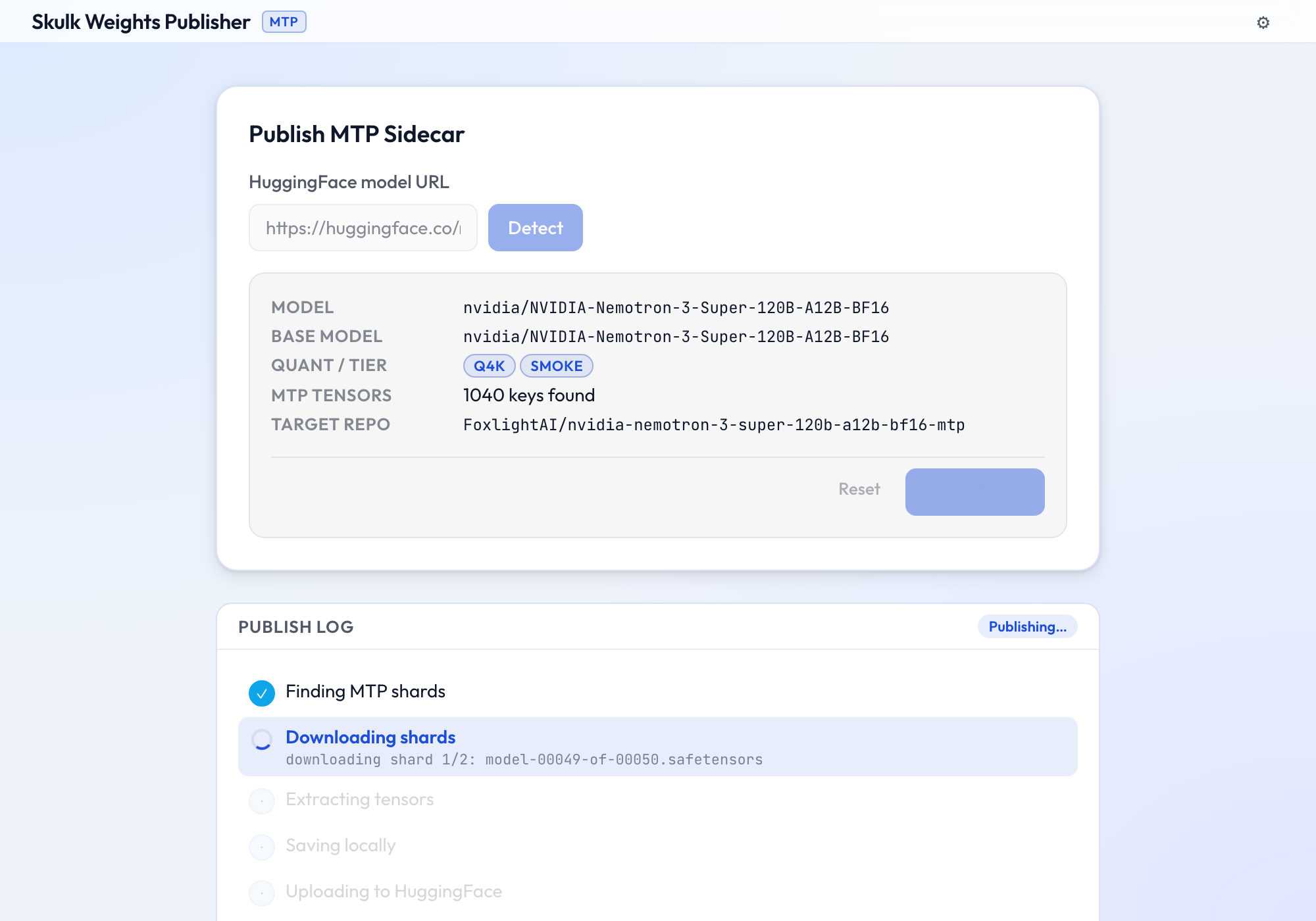
Extraction streams tensors to disk one at a time (peak memory stays bounded regardless of model size), then the upload reports live byte-level progress:
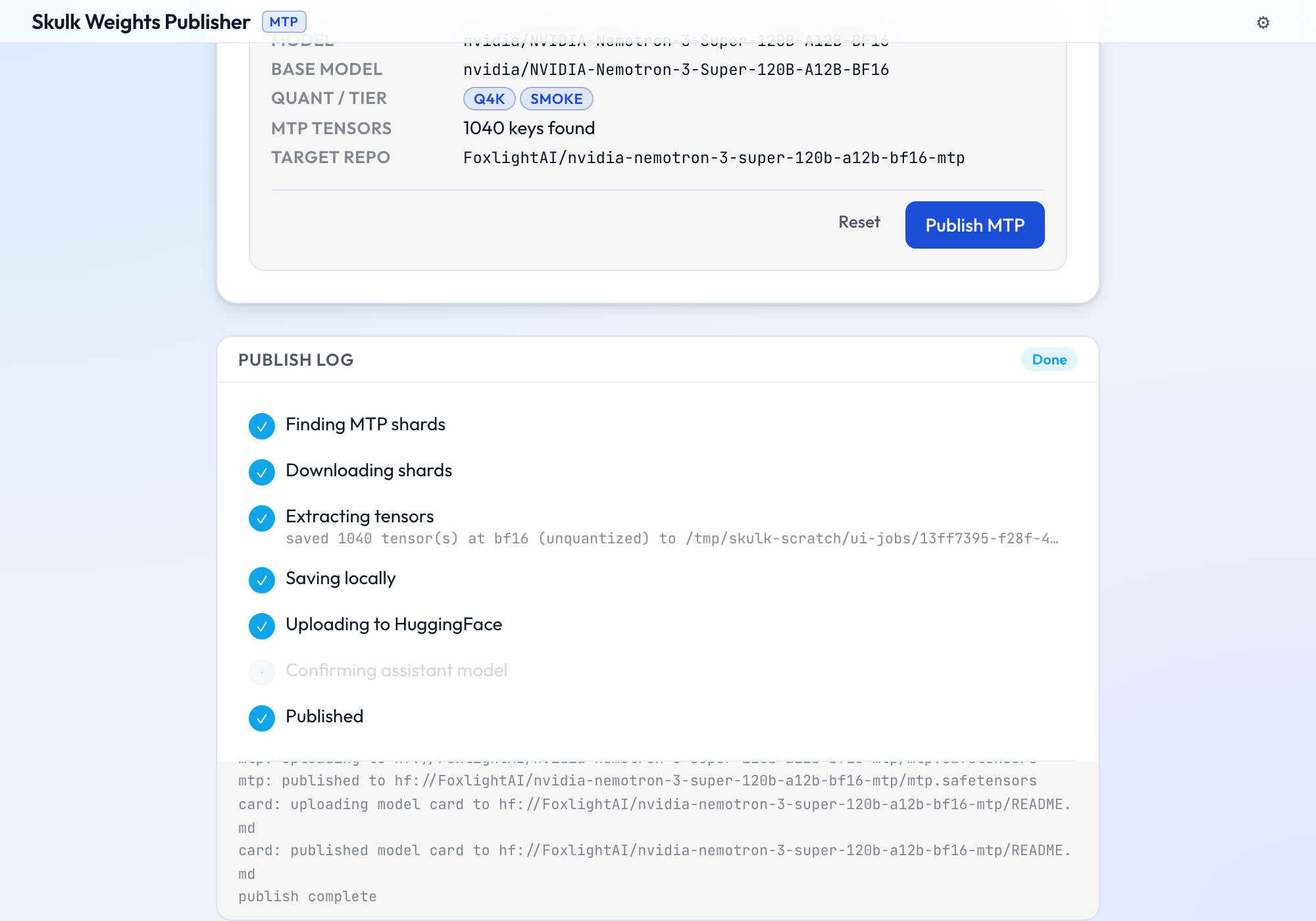
When the upload lands, the sidecar repo gets mtp.safetensors plus an
auto-generated model card, and every stage shows complete:
Real extraction is pure-numpy and cross-platform — it needs only numpy,
safetensors, and huggingface_hub (all pulled in by uv sync --extra ui),
with no mlx dependency. See the MTP sidecar guide.
Gemma 4 assistant models
Gemma 4 doesn't embed mtp.* heads; it ships a separate companion assistant
model for speculative decoding (e.g. google/gemma-4-26B-A4B-it-assistant).
SWP detects this and, instead of extracting tensors, records the pairing in the
catalog. Detecting a Gemma 4 model shows the assistant repo and a Register in
Catalog button:
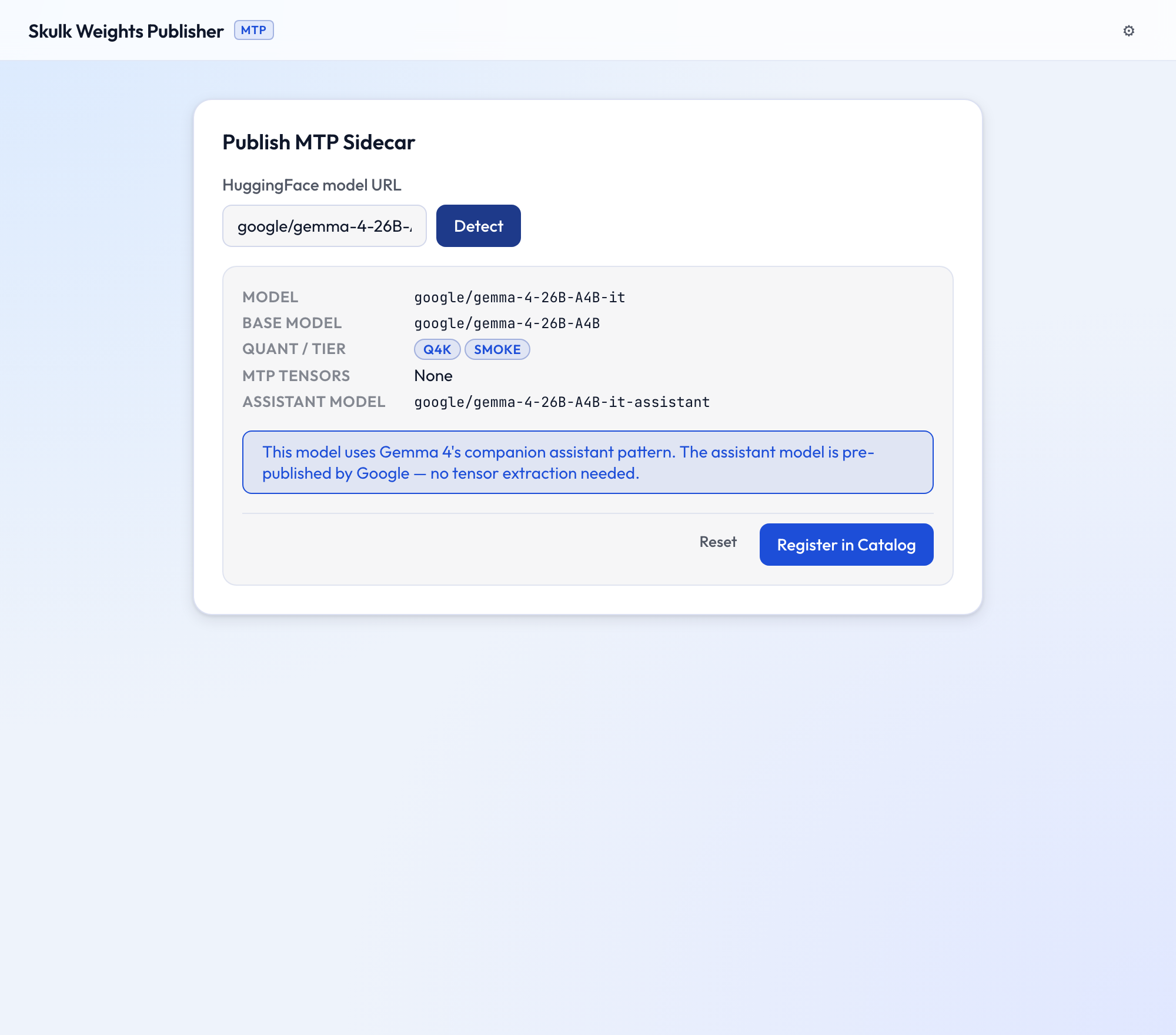
Clicking Register in Catalog appends a catalog entry referencing the assistant — nothing is uploaded, because the assistant is already published by Google. See Assistant models and the Gemma 4 assistant guide for the full picture.
Find a model in the catalog
The Find in Catalog card is a read-only reverse lookup: paste a source model
URL (or owner/repo) and SWP lists every catalog entry whose source_model
resolves to it. A single source model can back several entries (different quants,
slice modes, or tiers), so the result is one-to-many — each match is shown with
its catalog key and target repo.
This is the GUI equivalent of skulk-weights catalog find <hf-url-or-owner/repo>,
which prints all matches as JSON (one per line) and exits non-zero when there are
none. Use it to check whether a model is already published before detecting or
publishing it again.
Troubleshooting
- "cannot find the ui/ directory" —
skulk-uiis being run outside the source tree. Run it from a clone, or setSKULK_UI_DISTto a prebuiltdist/. - No assistant / no MTP detected — the model has neither native MTP heads
nor a published
{model}-assistant. It can't be published as a sidecar; this is expected for models without speculative-decoding support. - First launch is slow — that's the one-time
yarn build; later starts are instant.